If a soccer-playing robot is spinning in place, hunting in circles, or ignoring the ball entirely, the cause is almost always one of five things, and which one depends on what kind of "soccer bot" you have. A ball-chasing trainer that has lost track of its ball will spin and hunt for it by design. A remote-control robot that won't obey usually has a pairing or battery problem. An app-driven robot that won't move usually has a connection problem. This guide is generic to the RC and app-controlled soccer robots sold in the US in 2026 — two-robot remote-control sets, one-player ball-chasing trainers, and app-driven robot balls — with the maker's own manual or support page cited wherever we used one.
This guide is published by RoboSoccer, a table soccer game with real robot players that's licensed to toy companies rather than sold in stores, so none of the robots below is ours — the fixes here are for the robots you can actually buy and troubleshoot today.
How these robots actually work, because it changes the fix
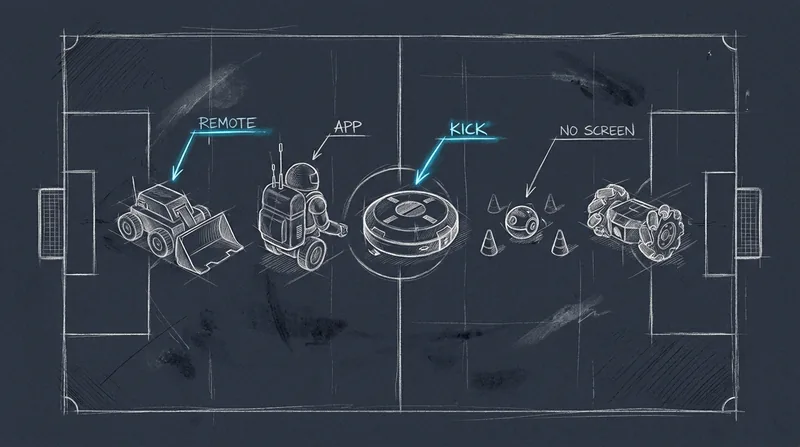
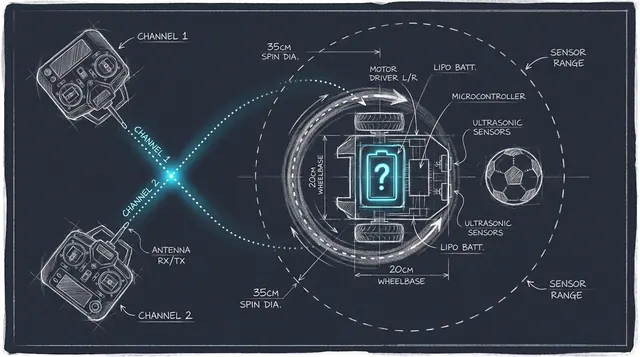
Two-robot remote-control sets — the HEXBUG Robotic Soccer Arena, MukikiM's BOT SoccerBot, Sharper Image's 2-Player RC Soccer Robots — put a person in charge of every move. Each robot pairs to one handheld remote on its own channel. If a robot won't respond the way you expect, the fault is almost always in that pairing, not in the robot "thinking" wrong.
Ball-chasing trainers — the Smart Ball Soccer Bot, sold in the UK as Strikesphere's Soccer Bot — have no human steering them. A sensor on the robot tracks a separate sensor ball within a set range and drives to intercept it. When the ball leaves that range, the robot's built-in fallback is to spin in place or "hunt," which owners read as a malfunction but is documented behavior.
App-driven robots — Sphero Mini Soccer — take commands over Bluetooth from a phone or tablet. Most problems here are a connection issue between the two, not a broken motor.
Troubleshooting table
| Symptom | Likely cause | Fix |
|---|---|---|
| Robot spins in place or "hunts" in a circle | Ball-chasing trainer has lost the ball outside its sensor range | Keep play inside the marked zone (discs), clear obstacles between ball and robot, and restart the round |
| Robot won't detect, chase, or react to the ball at all | Dead or missing battery in the ball itself, direct sunlight on the sensor, or a deflated ball | Check the ball's own battery compartment, move out of direct sun, and check the ball's inflation |
| One remote drives both robots, or the wrong robot | Two remotes and robots paired to the same channel | Re-pair one robot-and-remote pair at a time, with the other robot switched off or in another room |
| Works fine on a hard floor, then stalls or drags on a rug | Robot is set to the wrong surface mode | Switch to the mode built for soft surfaces/carpet; long-pile or shag carpet is outside spec regardless of mode |
| Robot won't move at all | Weak, missing, or wrongly seated batteries; an uncharged rechargeable unit | Replace disposable batteries or fully charge a USB-rechargeable robot before play |
| App won't connect, or pairing times out | Bluetooth interference from nearby devices, or the robot isn't charged | Turn off other Bluetooth devices nearby, fully charge, then retry pairing |
| Robot flashes a color or shows a code on its screen | Model-specific fault signal | Match the code to the maker's manual by model number; don't assume the unit is broken |
| Firmware update stalls or a light flashes red after an update | Update was interrupted, usually by a weak internet connection | Retry on stronger wifi, or complete the update from a different official app if one is offered |
Fixing it by symptom
Spinning in circles or "hunting" instead of chasing the ball
This one has a documented cause for at least one major product line. The Smart Ball Soccer Bot's own manual describes a detection range of about 1.5 meters between the robot and its ball, with a direct line of sight required. When the ball goes outside that range or behind an obstacle, "the BOT will start to spin on the spot or start hunting for the ball," and if it isn't found within 20 seconds, the round ends. The fix is positional: keep play inside the four zone discs it ships with (the manual suggests roughly 1.5 by 1.5 meters, adjustable), and clear furniture or toys the ball could roll behind.
Won't find, detect, or react to the ball at all
If the robot seems inert rather than actively hunting, check the ball first, not the robot. On the Smart Ball Soccer Bot the sensor ball runs on its own internal batteries (3 AAA, per The Toy Insider's review), separate from the robot's own 4 AA. The manual also notes the sensor won't work correctly in direct sunlight and isn't water resistant, and reviewers note the ball is intentionally under-inflated for control — check it hasn't gone fully flat.
One remote drives the wrong robot, or nothing responds
Two-robot RC sets pair to the first signal they see. HEXBUG's own guidance for the Robotic Soccer line is to select a different channel per player and switch robots on one at a time, away from other controllers, because the first remote to signal a robot is the one that connects to it. If two robots have already paired to the same remote, HEXBUG's published fix is to bring one controller and one robot together (keeping the second robot at least four feet away), power-cycle the robot until its wheels twitch, then pair fresh — repeating for the second robot on a different channel, in another room if the signals keep crossing.
MukikiM's BOT SoccerBot pairs a similar way: each robot is powered on to a specific color, and the matching remote is set to the same color before it will respond. If control seems to have swapped between the two robots, power-cycle both and re-pair one at a time rather than assuming a fault.
Works on hard floor but drags, stalls, or spins wrong on carpet
Ball-chasing trainers switch modes for the surface. The Smart Ball Soccer Bot has a hard-floor mode and a boost mode for carpet (reviewers at The Toy Insider and The Gadgeteer both describe testing it successfully on carpet in the correct mode), but its own manual is explicit that long-pile or shag carpet and highly polished, slippery floors are both outside what it's built for. If a robot behaves oddly only on one surface, check the mode switch before assuming a mechanical fault.
App won't connect, pairing times out, or an update won't finish
This section is Sphero-specific, but the pattern holds for any Bluetooth-controlled toy. Sphero's own support guidance: make sure the app is current and the robot is charged, then move it away from other Bluetooth devices before retrying the pairing steps. If a firmware update won't complete, Sphero's fix is to retry somewhere with a stronger internet connection, and if the Sphero Play app still won't finish it, to complete it from the Sphero Edu app instead.
An error code or unfamiliar light pattern
Error and fault codes are specific to the model that shows them, and the maker's own manual by serial or model number is the only reliable place to look one up — we didn't find a published, sourceable explanation for every code owners report (for instance, a number some Smart Ball Soccer Bot owners have seen on its screen), so this guide won't guess at what a specific code means. What we can point to is where the real answer lives: Strikesphere/Proxy's own manual library hosts setup and troubleshooting PDFs by product, and matching your unit's exact model number to the right one is the fastest way to get a real answer instead of a forum guess.
Nothing happens at all
Check power first, because it's the most common fix. The HEXBUG Robotic Soccer Arena runs on disposable batteries included in the box: three AAA per robot and two LR44/AG13 button cells per remote. MukikiM's robots are USB-rechargeable, so an unresponsive unit more often needs an hour on the charger than new batteries. The Smart Ball Soccer Bot takes four AA in the robot and three AAA in the ball, and reviewers note you'll want a small screwdriver to open both compartments.
A robot that drives in a wobble or won't hold a straight line
This one is harder to source cleanly: one published consumer support thread about a soccer bot that "keeps spinning rather than going in a straight line" points to a misaligned wheel or drive motor rather than anything electronic — that's one owner's account and the expert's read on it, not a maker's published spec. If a robot pulls consistently to one side even with a full charge, on a hard flat floor, and outside any ball-hunting behavior described above, a mechanical issue is more likely than a setup mistake, and it's worth contacting the maker rather than continuing to troubleshoot software.
Quick links to each maker's own instructions
- HEXBUG Robotic Soccer: official instructions PDF and pairing guide
- MukikiM BOT SoccerBot: product and setup page
- Smart Ball Soccer Bot / Strikesphere Soccer Bot: manual library by product
- Sphero Mini Soccer: official FAQ and connection troubleshooting
When it's a hardware fault, not a setup problem
If a robot won't power on at all with batteries you know are fresh, a wheel is visibly loose or cracked, or a unit that used to charge no longer holds any charge, that's worth a support ticket instead of more troubleshooting. HEXBUG lists info@hexbug.com for its products; Sphero and MukikiM both handle support through their own sites linked above. Keep the model number (usually printed on the underside of the unit) ready — every maker's support flow asks for it first.
This guide is published by RoboSoccer, a table soccer game with real robot players that's licensed to toy companies rather than sold in stores, so none of the robots above is ours. The fixes here apply to the robots you can actually buy and troubleshoot today.
Related reading: robot soccer games for kids in 2026 compares what's sold now with prices and ages, HEXBUG Robotic Soccer Arena vs RoboSoccer goes deeper on that one set, and how robot soccer games work explains the mechanics behind a grab-and-kick robot.
Key facts
The Smart Ball Soccer Bot's ball-tracking sensor has a range of about 1.5 meters and needs a direct line of sight; losing the ball outside that range makes the robot spin in place or "hunt," ending the round after 20 seconds if the ball isn't found.
Source · https://manuals.plus/smart-ball/1001-indoor-soccer-bot-manual
The Smart Ball Soccer Bot has separate modes for hard floors and soft surfaces/carpet, and its manual states it will not perform correctly on long-pile carpet, on highly polished/slippery floors, or in direct sunlight.
Source · https://manuals.plus/smart-ball/1001-indoor-soccer-bot-manual
HEXBUG's own pairing guidance for its four-channel Robotic Soccer remotes: pick a different channel per player, isolate a robot and remote from other controllers while pairing, and power-cycle to reset a robot that paired to the wrong remote.
Source · https://www.hexbug.com/news/2019/05/15/how-to-pair-the-hexbug-four-channel-remote/
The HEXBUG Robotic Soccer Arena runs on included disposable batteries: 3 AAA per robot (6 total) and 2 LR44/AG13 button cells per remote (4 total).
Source · https://www.hexbug.com/hexbug-robotic-soccer-arena.html
Sphero's official troubleshooting guidance for Sphero Mini: move the robot away from other Bluetooth devices and make sure it's charged before retrying a connection; if a firmware update won't finish, retry on a stronger internet connection or complete it from the Sphero Edu app instead.
Source · https://help.sphero.com/sphero-support/mini-connection-troubleshooting
The Toy Insider's review of the Smart Ball Soccer Bot notes it takes 4 AA batteries in the robot and 3 AAA in the ball, both fitted with a small screwdriver.
Source · https://thetoyinsider.com/soccer-bot-review/
FAQ
- Why does my soccer bot just spin in circles?
- On ball-chasing trainers like the Smart Ball Soccer Bot, this is documented behavior: when the ball moves outside the robot's roughly 1.5-meter sensor range, it spins in place or "hunts" until it reacquires the ball or the round times out at 20 seconds. Keep play inside the marked zone to avoid it.
- Why won't my soccer bot find or detect the ball?
- Check the ball's own battery first — sensor balls like the one in the Smart Ball Soccer Bot run on their own internal batteries, separate from the robot. Also check for direct sunlight on the sensor and a fully inflated ball.
- Why does my remote control the wrong soccer robot?
- Two-robot RC sets pair to the first signal they detect. Re-pair one robot and remote at a time, with the other robot switched off or in a different room, and pick a different channel or color for each.
- Does a soccer bot work on carpet?
- Some do, in the right mode. The Smart Ball Soccer Bot has a mode built for carpet, but its own manual says long-pile or shag carpet is outside its design range regardless of mode. Two-robot RC sets with no ball-tracking sensor are less picky about surface, but need a clear floor without walls to contain the ball.
- What does an error code on my soccer bot mean?
- Error codes are model-specific. The maker's own manual, matched to your unit's exact model number, is the only reliable source — this guide doesn't guess at undocumented codes.
- Why won't the app connect to my robot?
- For app-driven robots like Sphero Mini Soccer, this is almost always Bluetooth range or interference. Move other Bluetooth devices away, make sure the robot is charged, and retry the pairing steps in the official app.
Want to build it in America?
Three clear ways to partner with us.
License the technology, co-develop and launch, or brand and grow the platform. Tell us about your company and we'll set up a short call.
Start a conversation